Web Development Roadmap: Complete Beginner Guide for 2026

E-Digital India
Official Publication • 2026
Starting a career in web development in 2026 can feel confusing because there are too many options available. Without clear guidance, most of the beginners don't know where to start or what to learn first.
This blog helps you to guide, a roadmap to follow step by step, so you can learn easily. If you're planning to start, choosing the right web development course in Jamshedpur can help you build a strong foundation and move forward with confidence.
Who is a Web Developer?
A web developer is a person or individual who builds and maintains websites or web applications used on the internet. Their role is not design, focusing on the structure, functionality, and overall performance of a website.
They work with different technologies to ensure that a website is well-organized, responsive, and runs smoothly across devices. Along with creating new websites, they also update and improve existing ones to keep them efficient, secure, and aligned with user needs.
What is the Role of a Web Developer?
- Turning ideas into websites or web applications
- Writing code to build a structured web page
- Ensuring websites are responsive across all devices (mobile, tablet, desktop)
- Fixing bugs and improving performance
- Connecting websites with servers and databases
- Maintaining website security and regular updates
- Collaborating with designers, marketers, and business teams to meet goals
Types of Web Developers
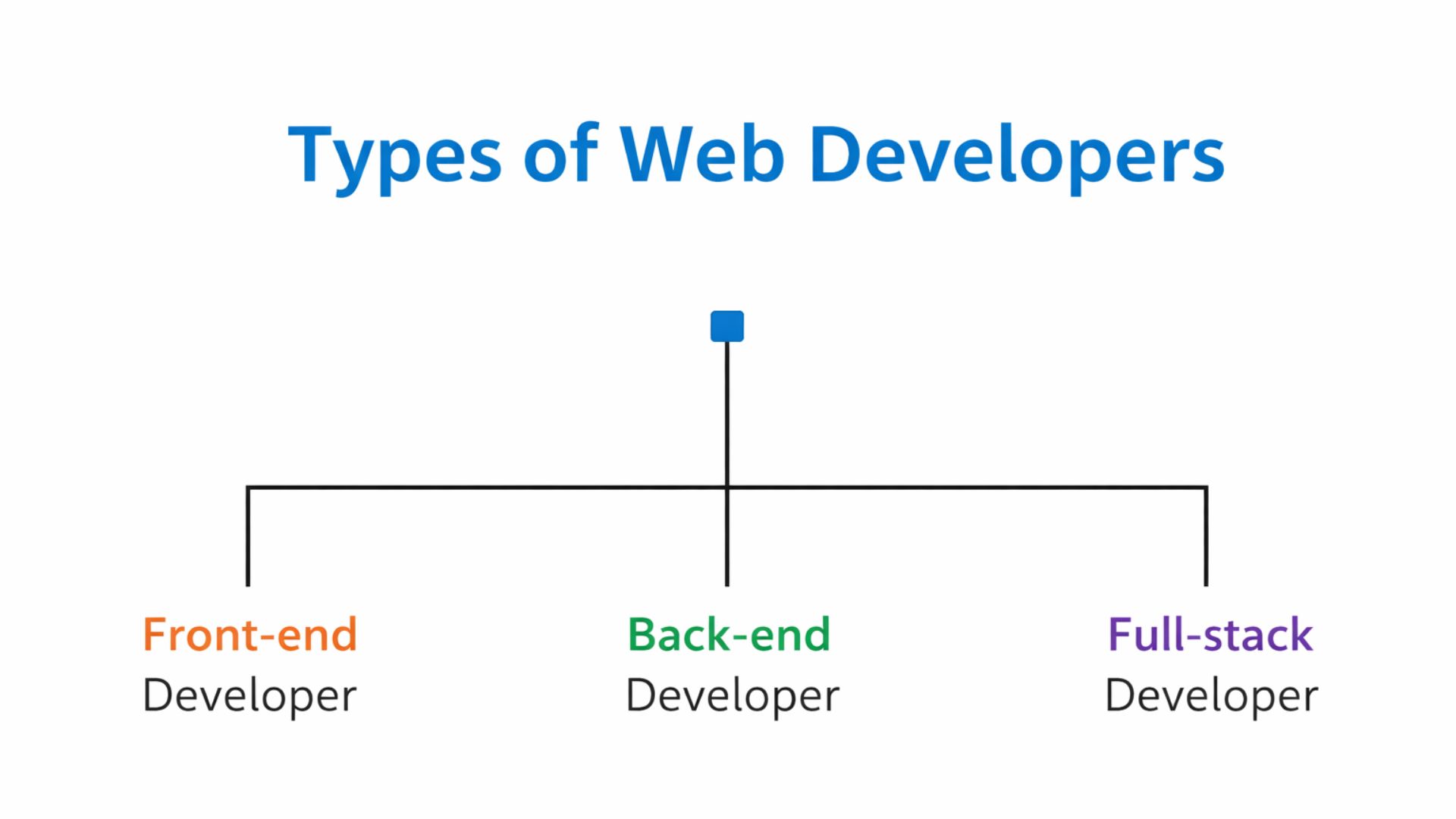
Web development is usually divided based on their developer's specialization. Some focus only on the UI of the website, working on how it looks and feels for users. On the other side, the technical, managing data, servers, and the logic that keeps everything running. Some developers work across both areas, handling the complete development process from start to finish.
Frontend Developer
A frontend developer only works on everything users see and interact with on a website, including layout, design, and responsiveness. They use HTML, CSS, and JavaScript to create smooth and visually appealing user experiences.
Backend Developer
A backend developer handles all the server, database, and logic behind a website. They manage data, user requests, and ensure everything runs securely and efficiently using technologies like Node.js, Python, or PHP, and others.
Full Stack Developer
A full-stack developer works on both frontend and backend, building complete web applications. This role requires understanding both design and logic, and it offers more flexibility and broader career opportunities.
Why Choose Web Development as a Career?
Web development is becoming a popular career choice, not just because of trends but because of the flexibility and long-term growth it offers. It's a field where you can start learning from scratch, build skills step by step, and create real opportunities for yourself without needing expensive tools or a traditional background.
- High demand: Now every business needs an online presence
- Multiple career paths: You can choose jobs, freelancing, or remote work
- Skill-based field: What you can build matters more than your degree
- Continuous learning: You keep growing as technology evolves
You can begin with basic resources and gradually improve your skills, making it accessible for almost anyone willing to stay consistent.
Web Development Roadmap 2026: Step-by-Step
Starting to learn web development can feel confusing, from whether to start to what to learn first, but with the right guidance makes it easier. A clear roadmap helps you focus on what to learn first, build skills step by step, and understand how everything connects in real projects.
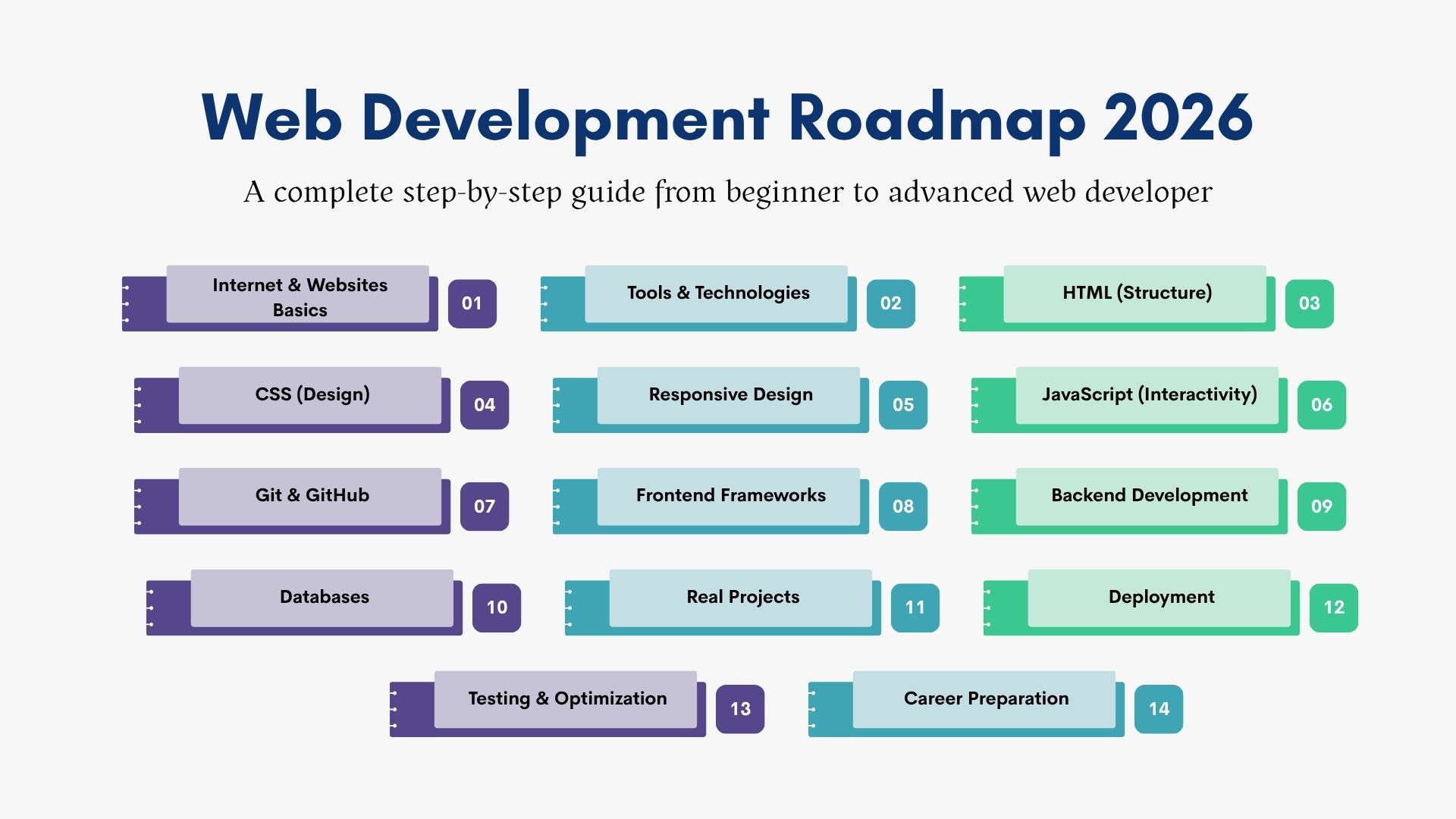
Here's a simplified guide that takes you from beginner to a skilled web developer:
- Internet & Websites Basics – Learn about how websites work behind the scenes (browser, server, domain, hosting)
- Tools & Technologies – Understand which tools to use and how everything connects
- HTML (Structure) – Build the basic layout of web pages
- CSS (Design) – Style your website with colors, fonts, and layouts
- Responsive Design – Make websites work on mobile, tablet, and desktop
- JavaScript (Interactivity) – Make your website feel alive by adding clicks, actions, and content that updates instantly
- Git & GitHub – Keep track of your code, save it safely online, and work smoothly with others on the same project
- Frontend Frameworks – Use tools like React to build things faster and keep your code neat and easy to manage
- Backend Development – seeing what happens behind the scenes so your website runs properly
- Databases – Store and manage important data like user details or app content in an organized way
- Real Projects – Build real-world projects that people can actually use, not just practice examples
- Deployment – Put your website online so anyone can open and use it anytime
- Testing & Optimization – Find and fix errors, and make your website faster and smoother
- Career Preparation – Create a strong portfolio, practice your skills, and get ready for job opportunities
This roadmap starts from the basics and gradually builds your skills, so by the end, you're not just learning; you're able to create and launch real websites and applications on your own. Combining these skills with insights from a digital marketing course can further help you build websites that not only function well but also perform effectively in the real world.
Step 1: Understanding How the Internet and Websites Work
This step builds your base by helping you understand how websites function behind the scenes.
- Browser & Server: Your browser sends a request when you open a website, and the server replies by sending back files like HTML, CSS, and JavaScript so the page can load
- Domain & Hosting: The domain is your website's name (like an address people type), and hosting is the space where all your website files are stored
- HTTP/HTTPS: These are the rules used to transfer data on the web. HTTPS is the secure version that keeps your data safe
Step 2: Choosing the Right Tools and Technologies
This step gives you clarity on how different tools are used together.
| Area | Purpose | Example Use Case |
|---|---|---|
| Frontend | User interface & design | Website layout, buttons |
| Backend | Logic & server-side processing | Login system, data handling |
| Database | Store and manage data | User details, product data |
Step 3: Learning HTML (Structure of Web Pages)
HTML creates the structure of your website.
- Basic Elements: Headings, paragraphs, images, links
- Forms: Input fields, buttons, and user data collection
- Semantic Tags: header, section, footer for better structure
Step 4: Using CSS to Design and Style Layouts
CSS improves the visual appearance of your website.
| Concept | Use |
|---|---|
| Styling | Colors, fonts, spacing |
| Layouts | Flexbox, Grid |
| Box Model | Margin, padding, borders |
Step 5: Responsive Web Design
Ensures your website works on all devices.
- Mobile-First: Design for small screens first
- Flexible Layouts: Use % instead of fixed sizes
- Media Queries: Adjust design based on screen size
Step 6: Adding Interactivity with JavaScript
JavaScript lets you add interactive features and make your website do more.
- Core Concepts: Some ideas in JavaScript are variables, functions, and conditions.
- User Actions: You can respond to things users do, like clicking buttons or filling out forms.
- Dynamic Content: JavaScript can also update parts of a page without making you reload it.
Step 7: Managing Code Using Git and GitHub
Helps in organizing and tracking your work.
| Feature | Benefit |
|---|---|
| Version Control | Track changes |
| Backup | Save code online |
| Collaboration | Work with teams |
Step 8: Working with Modern Frontend Tools and Frameworks
Modern tools and frameworks help you build websites faster and in a more organized way, so your projects don't feel messy or confusing.
- Reusable Components: Write code once and reuse it in multiple places, saving time and effort
- Structured Code: Keep your project clean and well-organized, making it easier to manage
- Efficiency: Speed up development and focus more on building features instead of repeating work
Step 9: Learning Backend Development and Server-Side Logic
Handles the logic and data behind the scenes, basically, it's the part that makes everything work smoothly and actually "think."
- Server Handling: Manage user requests
- APIs: Connect frontend and backend
- Authentication: Login and security
Step 10: Understanding Databases and Data Handling
| Type | Structure | Example Use |
|---|---|---|
| SQL | Tables (Rows & Columns) | User data, transactions |
| NoSQL | Flexible structure | Real-time apps, large data |
- Row: Single record (one user)
- Column: Field (name, email, password)
Step 11: Building Complete Web Applications
Combines all skills into real projects.
| Project Type | Purpose |
|---|---|
| E-commerce | Product listing & checkout |
| Blog Website | Content & user system |
| Booking System | User interaction & data |
Step 12: Deployment and Hosting
Makes your website live.
- Hosting: Upload project online
- Domain: Connect website name
- Access: Make the site available publicly
Step 13: Testing, Debugging, and Optimization
It helps to improve quality and performance.
- Testing: Check functionality
- Debugging: Fix errors
- Optimization: Improve speed
Step 14: Preparing for Jobs and Interviews
| Area | Focus |
|---|---|
| Portfolio | Show real projects |
| Interview Prep | Practice concepts & coding |
| Problem Solving | Improve logical thinking |
Career Opportunities After Completing Web Development
Once you gain skills and build projects, multiple paths open up.
You can work as:
- Frontend Developer
- Backend Developer
- Full Stack Developer
- Web Designer (with development skills)
- Freelancer
- Remote Developer
You can also:
- Build your own websites or products
- Work with startups
- Offer services to local businesses
The field gives you flexibility to choose how you want to work.
Web Developer Salary and Demand in 2026
Demand for web developers continues to grow in 2026 as more businesses shift online and focus on building a strong digital presence. The need is not only to know the basic websites anymore; companies want developers who can create fast, smooth, and user-friendly experiences that actually help their business grow.
.jpeg)
At the same time, hiring expectations have changed. Companies are not just looking for coding skills; they want developers who understand user experience, can solve real problems, and adapt quickly to new tools. This means opportunities are increasing, but staying updated and continuously improving your skills has become just as important.
Web Developer Salary in India
| Experience Level | Average Salary Range |
|---|---|
| Freshers (0–1 year) | ₹2.5 LPA – ₹5 LPA |
| Mid-level (2–4 years) | ₹5 LPA – ₹12 LPA |
| Experienced (5+ years) | ₹12 LPA – ₹25+ LPA |
Salary Affecting Factors:
- Skills: Strong concepts and real-world project experience increase pay
- Tech Stack: Knowing how to use current tools and frameworks is also valuable.
- Projects: Practical work matters more than certificates
- Location: Metro cities usually offer higher salaries
- Communication: Clear thinking and problem-solving added more value
- Learning: Staying updated leads to better growth
In simple terms, we can say that the better skills = better salary.
Conclusion
Web development is not easy; learn everything at once. It's a step-by-step process where you build an understanding, practise regularly, and improve over time.
If you follow the right roadmap, focus on the basics, and keep building projects, things start to become clear. The key is to stay consistent and not give up when it feels confusing in the beginning.
If you're serious want to learn, choosing the right web development course in Jamshedpur can help you to learn at easiers way. E-Digital India is perfect; they offer the right guidance and effort, and you can turn this skill into real career opportunities.